
DMCommunity.org offered a relatively simple challenge “Christmas Word Search” for holidays. My first inclination was to ask an LLM to solve it. I certainly was impressed that Copilot (or another LLM-based tool) could quickly build a code to find a correct solution. But then I thought: “Can I, a human, do better than LLM preferably without coding?” Below I describe my experiments from this morning.
Copilot was able to convert complex logic from this plain English statement
“You need to find how many times the word “XMAS” appears in the grid, horizontally, vertically, or diagonally, written backwards, or even overlapping other words in any orientation.”
into working Java or Python programs. However, even for an experienced programmer like me, the generated code with all the tricky indexes within nested loops looks annoying. More than that, I suspect I cannot write a much more understandable code than a LLM did.
But would a “normal” person (such as a business analyst and not a software developer) end up with programming? Of course, not. She or he will probably try to find the words “XMAS” and “SAMX” in 4 simple steps:
- Search all horizontal rows
- Search all vertical columns by turning the grid picture by 45°
- Search all diagonals by turning the grid picture by 45°
- Search all diagonals by turning the grid picture by -45°.
So, I decided to try doing the same with an OpenRules decision model. I started by creating a simple decision model in Excel for the first step and thought I could add other grids later on.
Thinking about a grid as a set of rows with strings, I created the following Glossary for my decision model:
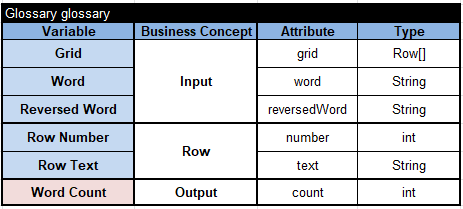
Thus, I expect to get decision variables “Grid”, “Word”, and “Reversed Word” as my input, and my decision model should be able to calculate “Word Count”. In OpenRules it is easy to do with a single decision table:

This multi-hit decision table will iterate over all rows in Grid and for each Row will check if its text contains the values of Word or Reversed Word. If yes, it would increment the Word Count.
To run this decision model, I created only one test case in this Excel table:
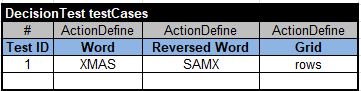
Initially, I put the provided grid in Excel:
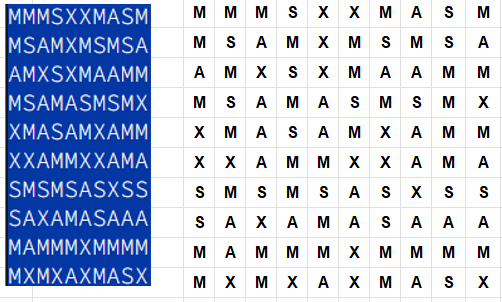
and created the grid “rows” using the following DecisionData table:
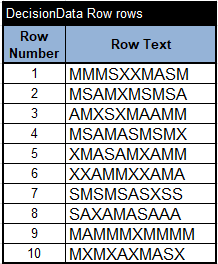
When I executed my simple decision table against this test case using the standard “test.bat”, I received Word Count = 5.
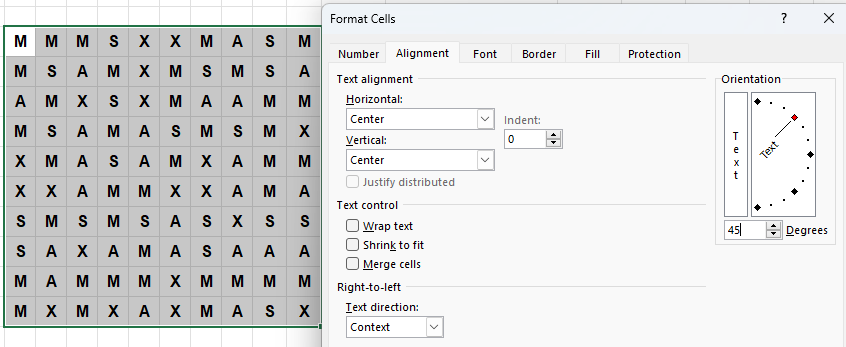
To solve the entire Challenge I needed to expand this grid with rows that represent vertical columns and two diagonals of the original grid. To build these 3 additional grids, I selected the original grid and used Excel’s Alignment with Orientations for 90°, 45°, and -45°. For instance, here is the alignment for 45°:
I wanted to rotate the resulting grids like this one for 45°:
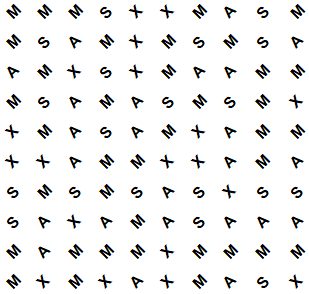
So, I took this image (using Windows+Shift+S), pasted it into Excel, and rotated it by 45°:

I tried to find and use some off-the-shelf tools for converting grid images into text. I tried 3 of such tools with no success. So, I decided to manually expand the table “rows” by looking at the proper rotated images on the right. Here is the resulting grid:
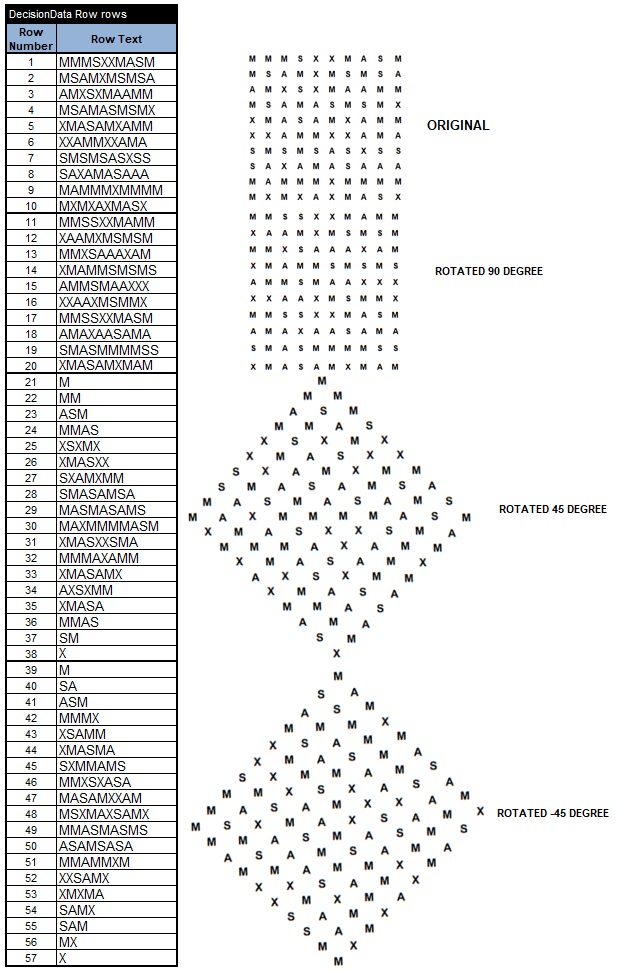
Then I executed the same decision table against the expanded grid. I received the expected Word Count = 18. The generated execution report even shows which words were found in which rows. I believe this solution without coding is more attractive for business people and hopefully for programmers as well.
CORRECTION. After I quickly posted the above decision model, one of my colleagues pointed me to the error. The above decision table with the operator “Contains” calculates only the number of matching rows in the grid:
Accidentally, it gave the correct solution 18. However, if a row in the grid contains more than one instance of “XMAS” or “SAMX”, they will be counted only once. To fix this error, we need to replace the above decision table with this one:
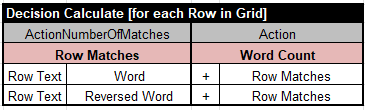
Here the OpenRules action “ActionNumberOfMatches” calculates how many times the string in the first sub-column contains the string in the second sub-column and assigns the calculated value to “Row Matches”. Of course, we need to add the intermediate decision variable “Row Matches” to the Glossary:
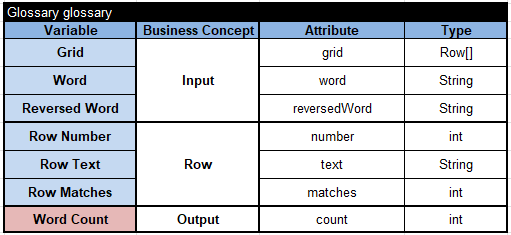
This was an unfortunate error, but it also demonstrated how it is easy to fix a logical error in a good decision modeling environment.
 OpenRules - Decision Intelligence Platform